Search by name
Stop memorizing that a sound hides at Bank 87, Sub 2, Program 41.
 INS Browserfor Live
Hardware preset browser · Windows & macOS
Search the sounds in your racks and synthesizers by name. INS Browser finds the Bank, Sub-Bank and Program values Live needs — no MIDI charts, scripts or Max for Live.
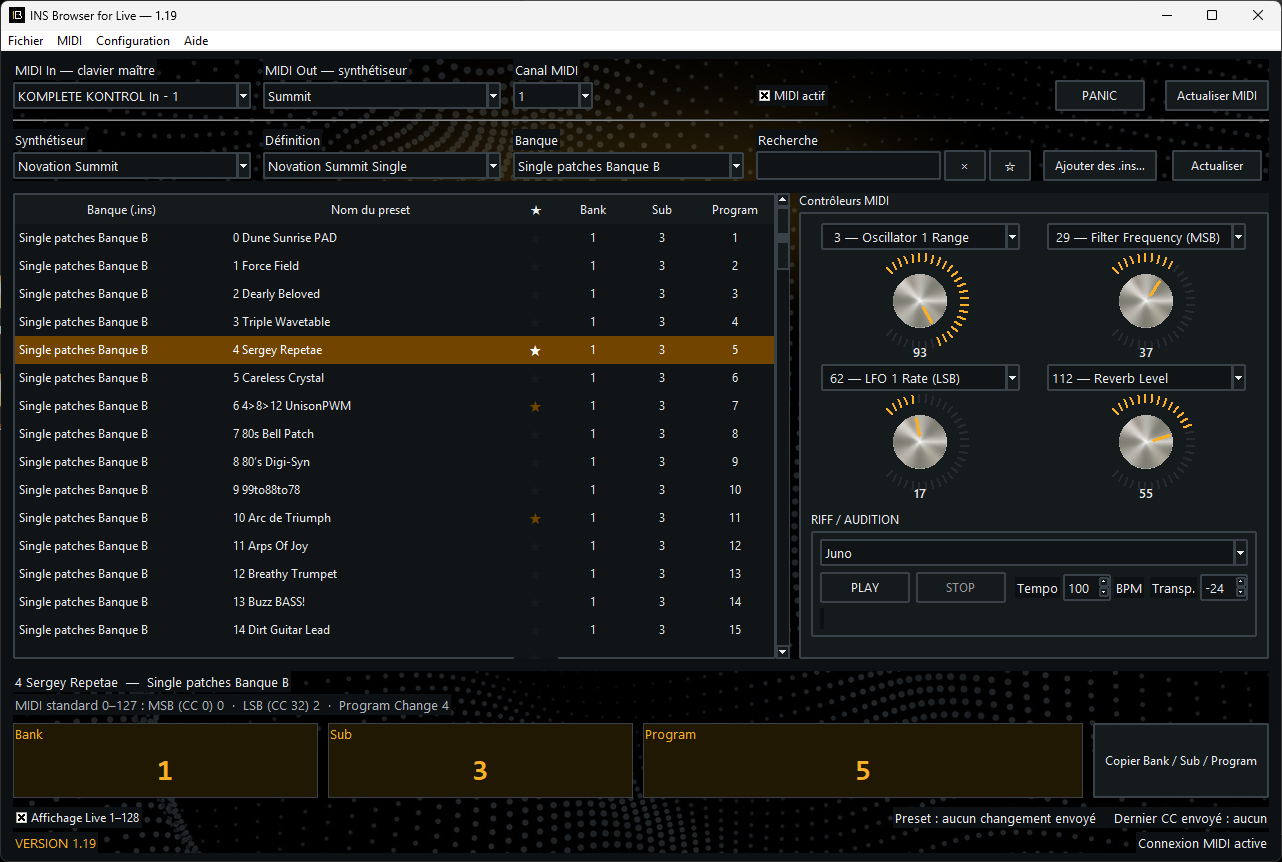
Why it matters
JV, XV, Virus, Proteus and other preset-rich instruments still sound extraordinary — but browsing their banks through a small display breaks the creative flow.
INS Browser gives that library a modern interface: find “Warm Strings” by name, then use the exact values in Ableton Live.
Stop memorizing that a sound hides at Bank 87, Sub 2, Program 41.
Copy the values Live expects or send the change directly to your hardware.
Audition, favorite and get back to the track — not the MIDI manual.
From name to preset
Select its definition, mode and bank.
Instantly filter presets by name or bank.
Use Bank, Sub and Program in Live, or send them straight to the synth.

The 1–128 display mode follows Live’s convention while MIDI messages remain compliant with the 0–127 standard.
Honest compatibility
INS Browser includes hundreds of Instrument Definitions. We do not artificially turn every card, bank or mode into a “new supported synthesizer”.
Files describing MIDI banks, programs and controllers.
Names are indexed without presenting the total as unique presets.
Cards enrich one machine; they are not counted as new synthesizers.
MIDI variants are clearly attached to the same hardware.
A few hero instruments
From small-screen racks with vast banks to modern preset-rich synthesizers.
If your Instrument Definition is not included, creating your own is easy. A step-by-step guide and a ready-to-use AI prompt are provided.
All trademarks and product names belong to their respective owners. Their presence does not imply affiliation or endorsement.
More than a lookup table
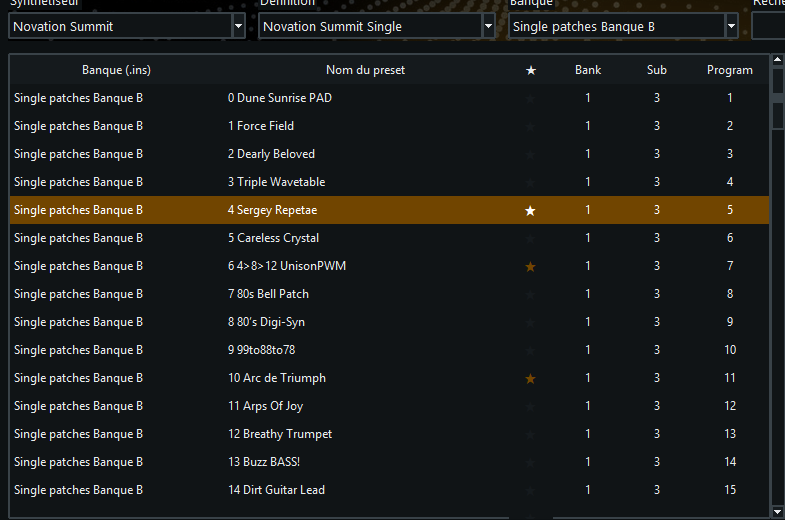
Mark essential sounds and find them again between sessions.
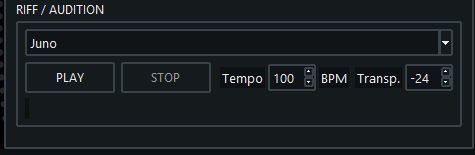
Try a patch at the right tempo, even without a master keyboard.
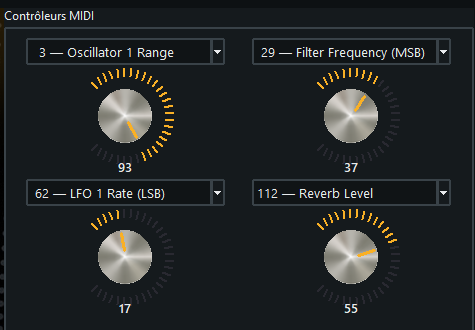
Control four CCs documented by the selected definition.
Video tutorials
Learn installation, preset search, MIDI audition and recall from Ableton Live in under fifteen minutes.
Launch offer
Until October 31, 2026
FAQ
No. INS Browser is standalone. It works on its own or alongside another DAW. Max for Live is not required.
No. It does not fetch or save SysEx data. It makes the banks and presets described by .INS files searchable and recallable over MIDI.
No. They describe bank, program and controller names. The sounds stay in your synthesizer.
Yes. Import your .INS files, adapt an existing definition, or easily create your own with the supplied guide and AI prompt.
Yes. The MIDI riff player offers adjustable tempo and transposition.
Check the complete workflow in the manuals before you buy.